
View this post on Patreon.
If you use Ardour (current version as of 30 June 2024 is 8.6.0) and need MIDI clock, MIDI time code or MIDI machine control, you need to enable them, as these are not enabled by default.
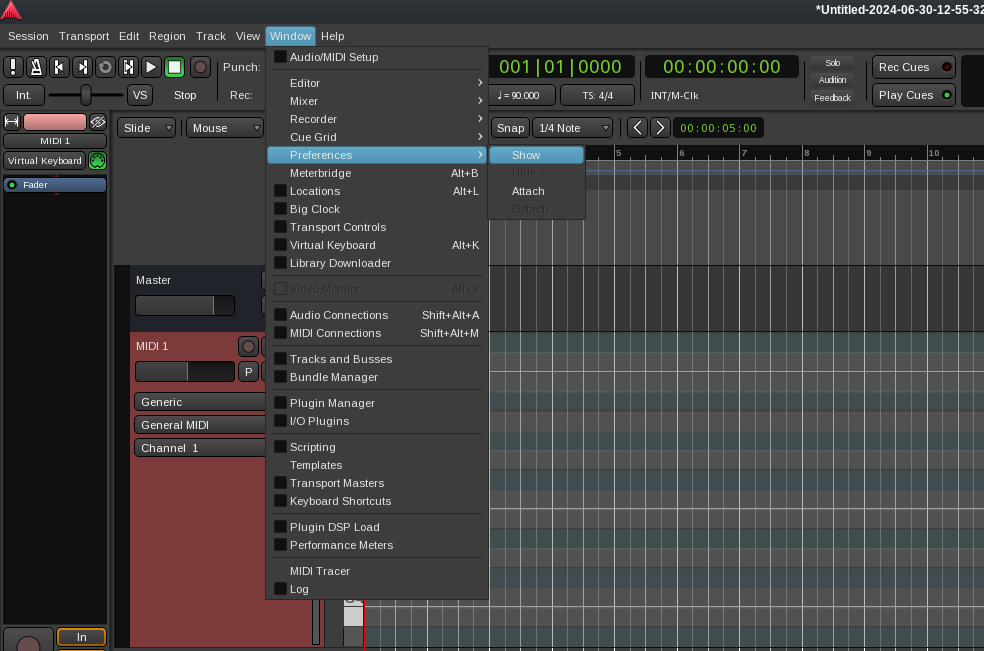
In the Ardour main menu, click on Window, then Preferences, then Show.
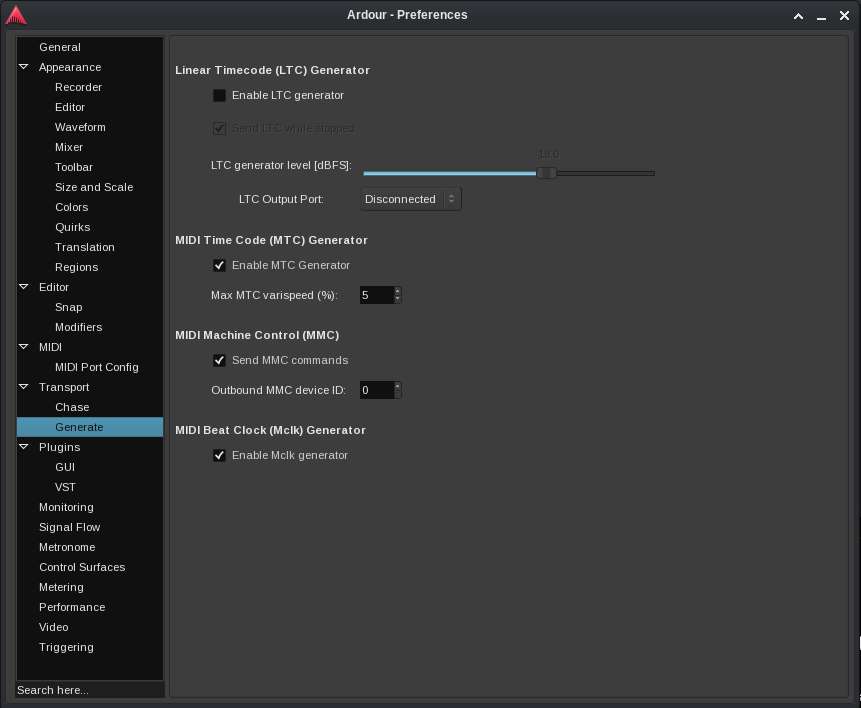
Look for the Transport section on the right and click on “Generate”. In the main panel, you’ll see the options for MIDI Time Code, MIDI Machine Control and MIDI Beat clock. Enable any or all of them as per your needs.
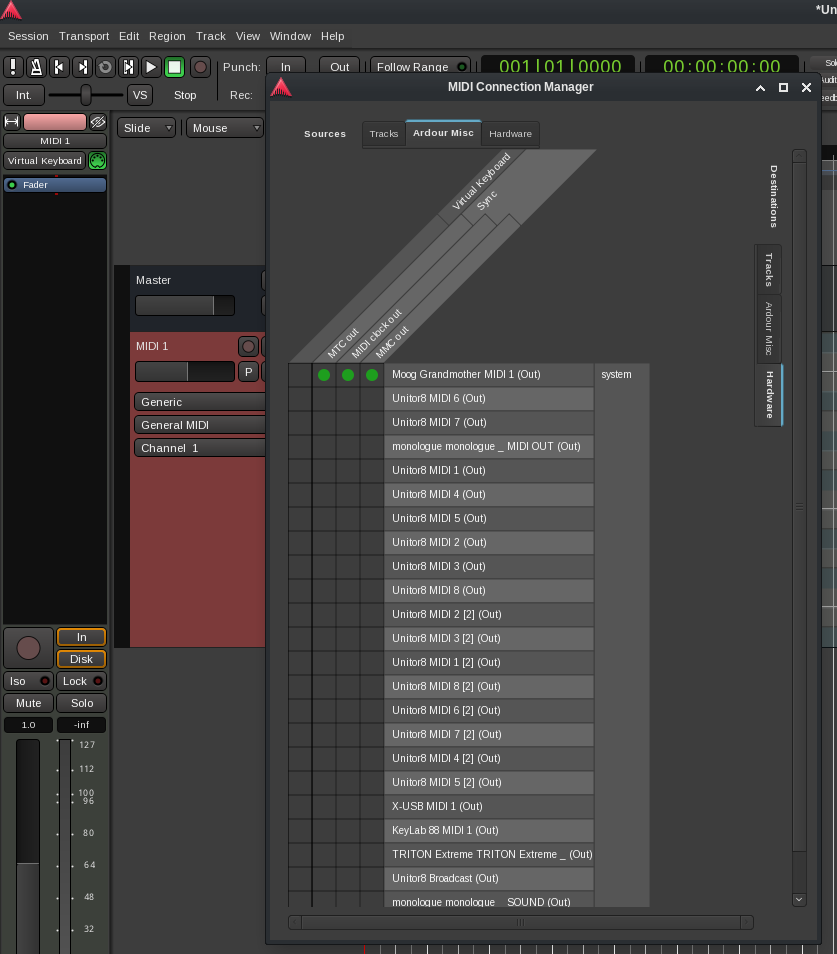
To use them, click on Window in the Ardour main menu, then select MIDI Connections. You can also use the default keyboard shortcut Shift-Alt-M. In the MIDI Connections window, make sure you’re in the Ardour Misc tab at the top, and the Hardware tab on the right, and you’ll be able to assign MMC, MTC and clock to your devices. In the example here, I’ve assigned all three to my Moog Grandmother. (This is just an example. I normally only send MIDI time code to my Grandmother, so that its arpeggiator and sequencer stay in sync with my Ardour session.)
I hope you’ve found this helpful. If you’re not a paid subscriber on Patreon, please consider becoming one. It helps fund work on Decibel Linux.